
How to Change your Password
Edited
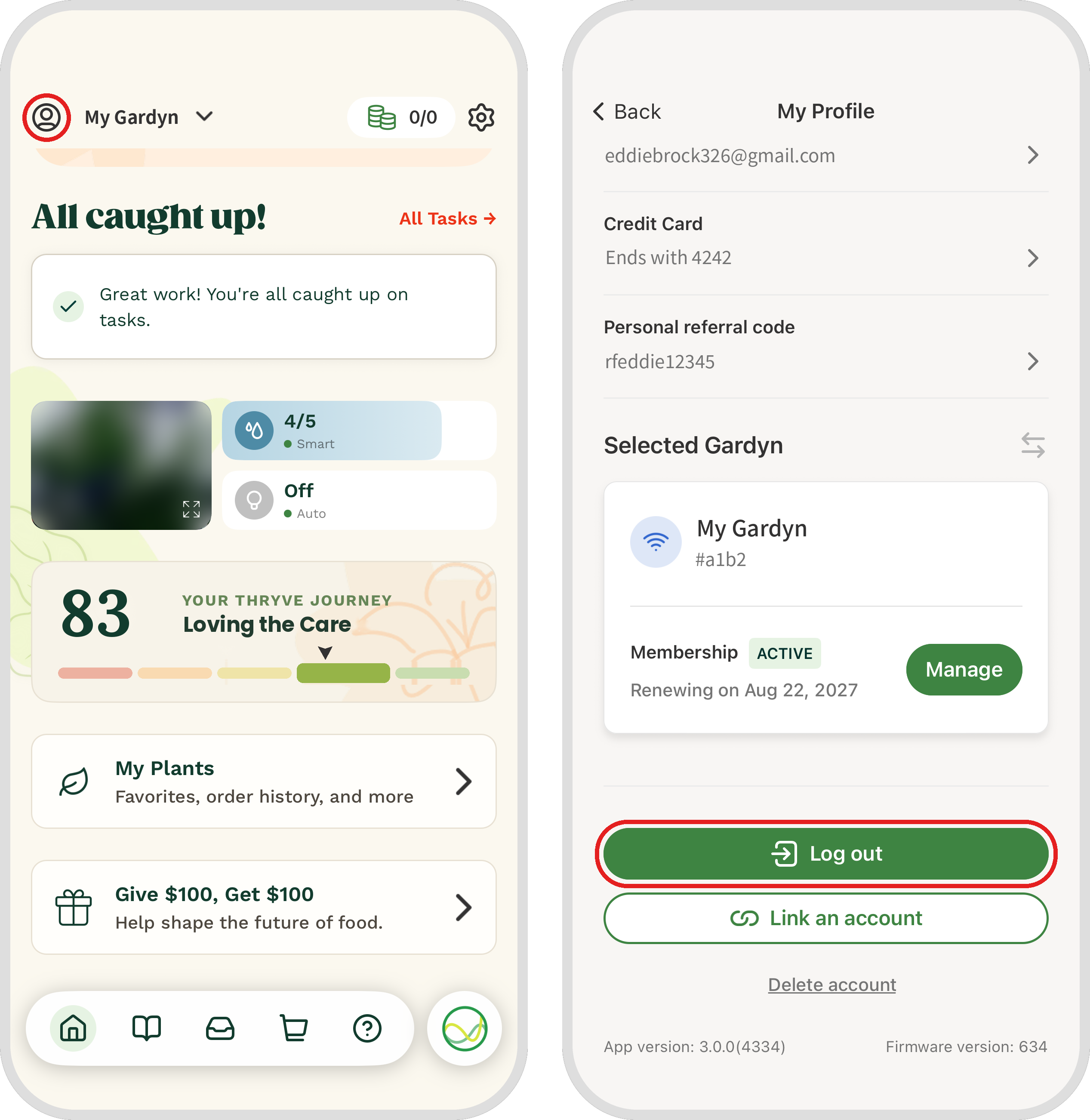
To change the password for your Gardyn app account, tap the person icon in the top-left corner of the app’s Home screen to open My Profile. Scroll to the bottom of the screen and tap the green Log out button.
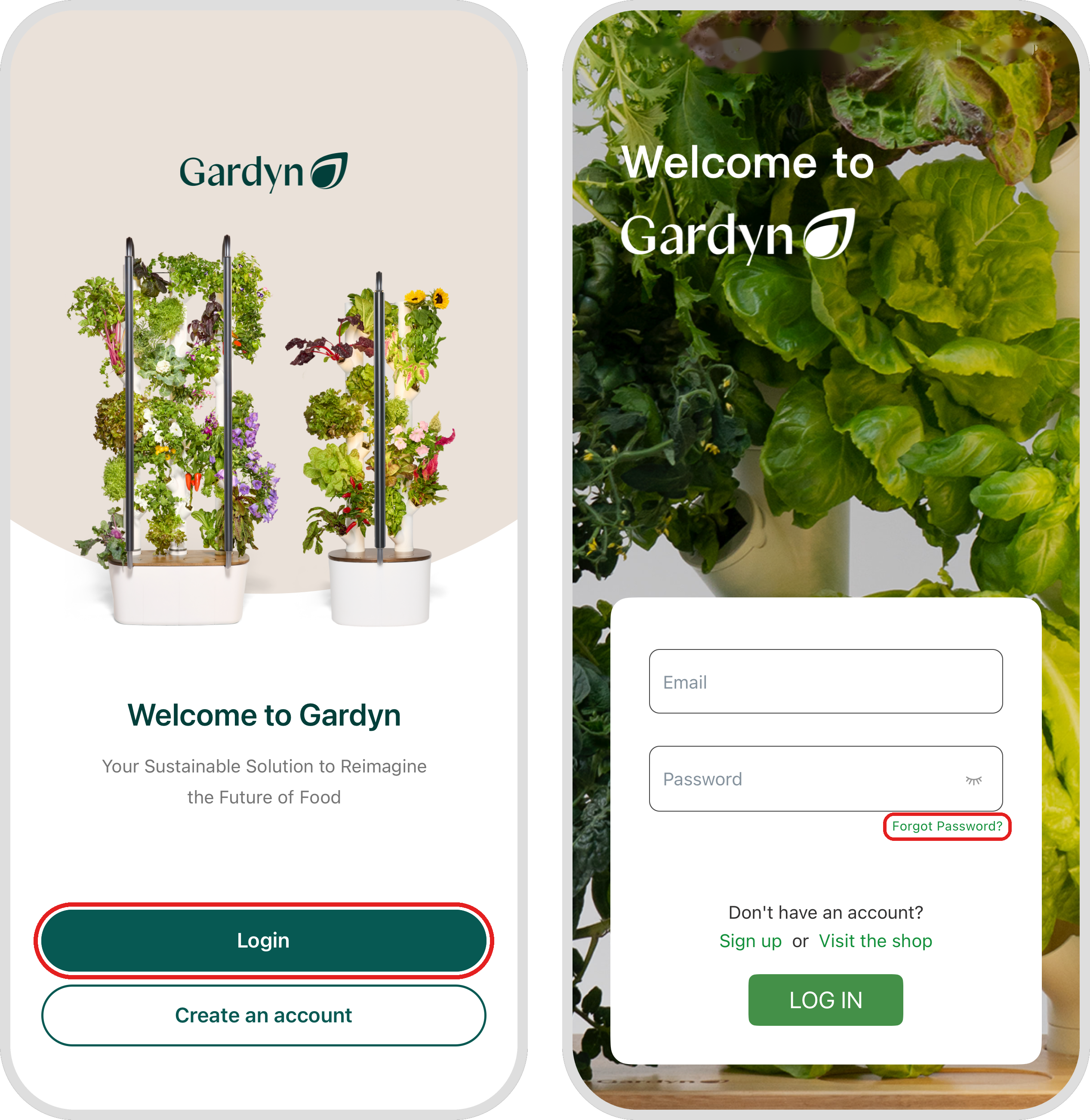
Once you’re logged out, tap Log in. When prompted for your username and password, tap Forgot password under the password field, even if you’re changing your password on purpose. You’ll then be prompted to set up a new password.
Questions? Reach us at support@mygardyn.com, or chat with us! We're here to help.
edit
change
password
account