
How to Manage Your Autoship (Subscribe & Save) in the App
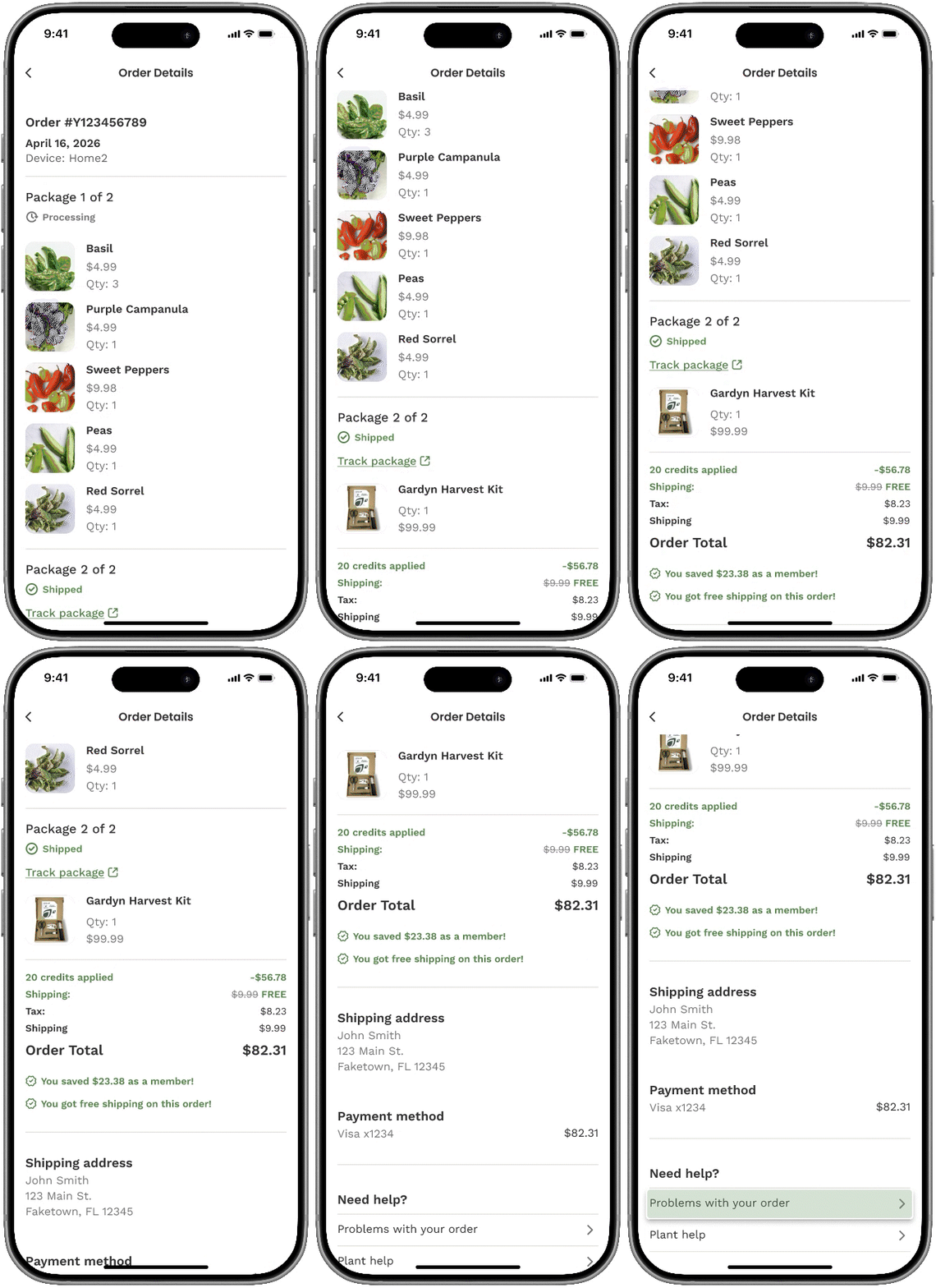
You can view your past orders, track shipments, and manage your subscriptions directly in the Gardyn app.
Manage Autoship (Subscribe & Save)
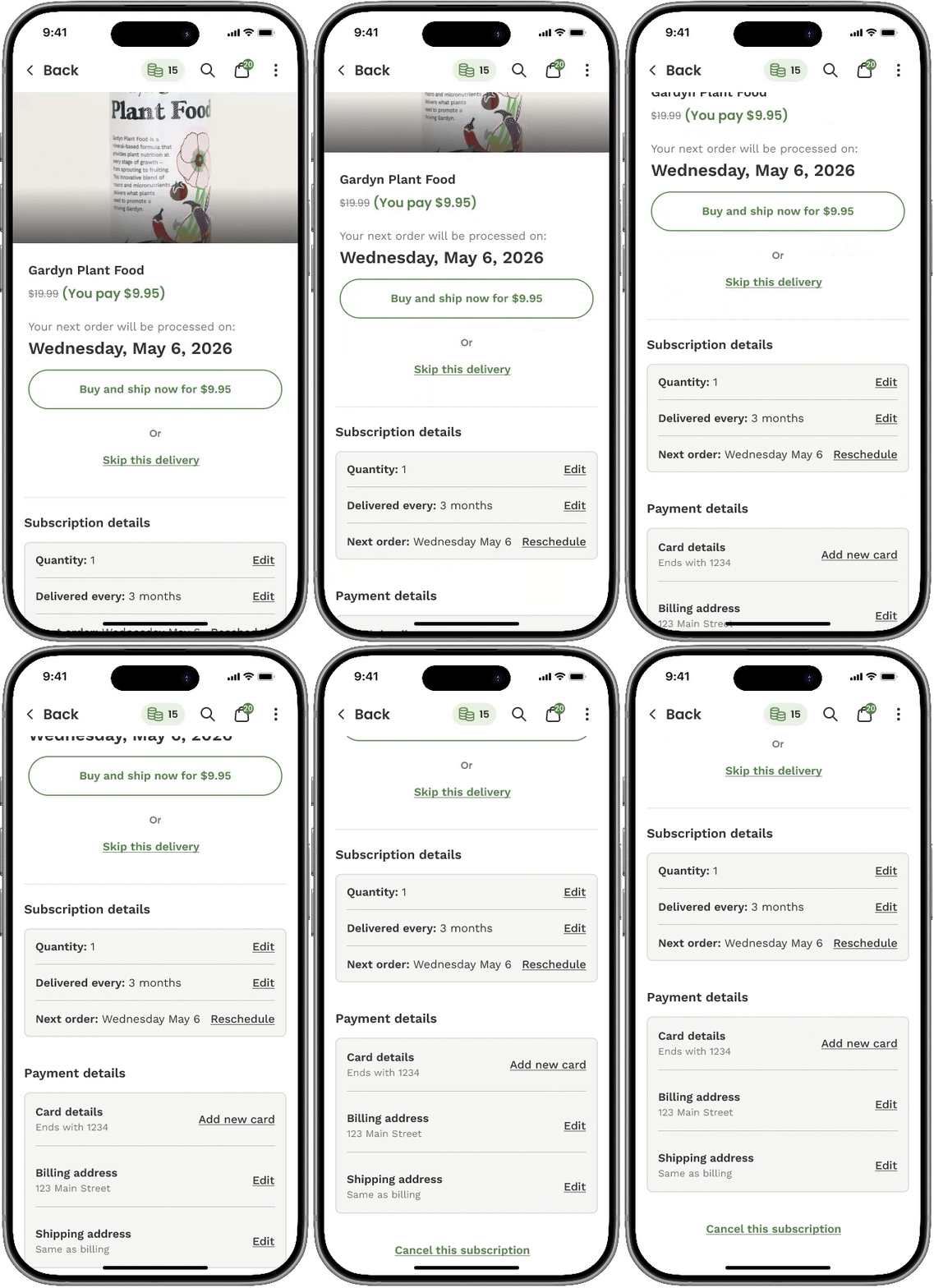
You can manage your subscriptions from the Autoship Settings screen.
To Access Autoship Settings:
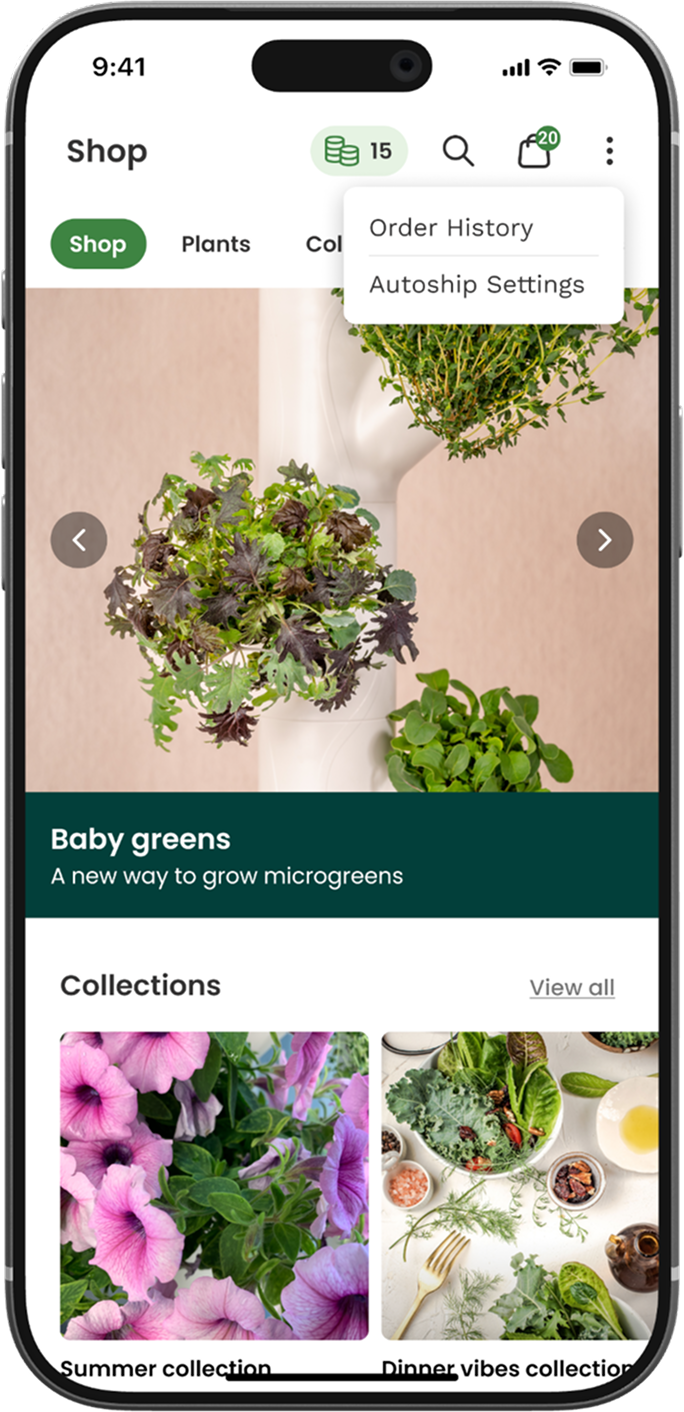
From the Shop Tab
Open the Shop tab
Tap the menu (⋮) in the top right corner
Select Autoship Settings
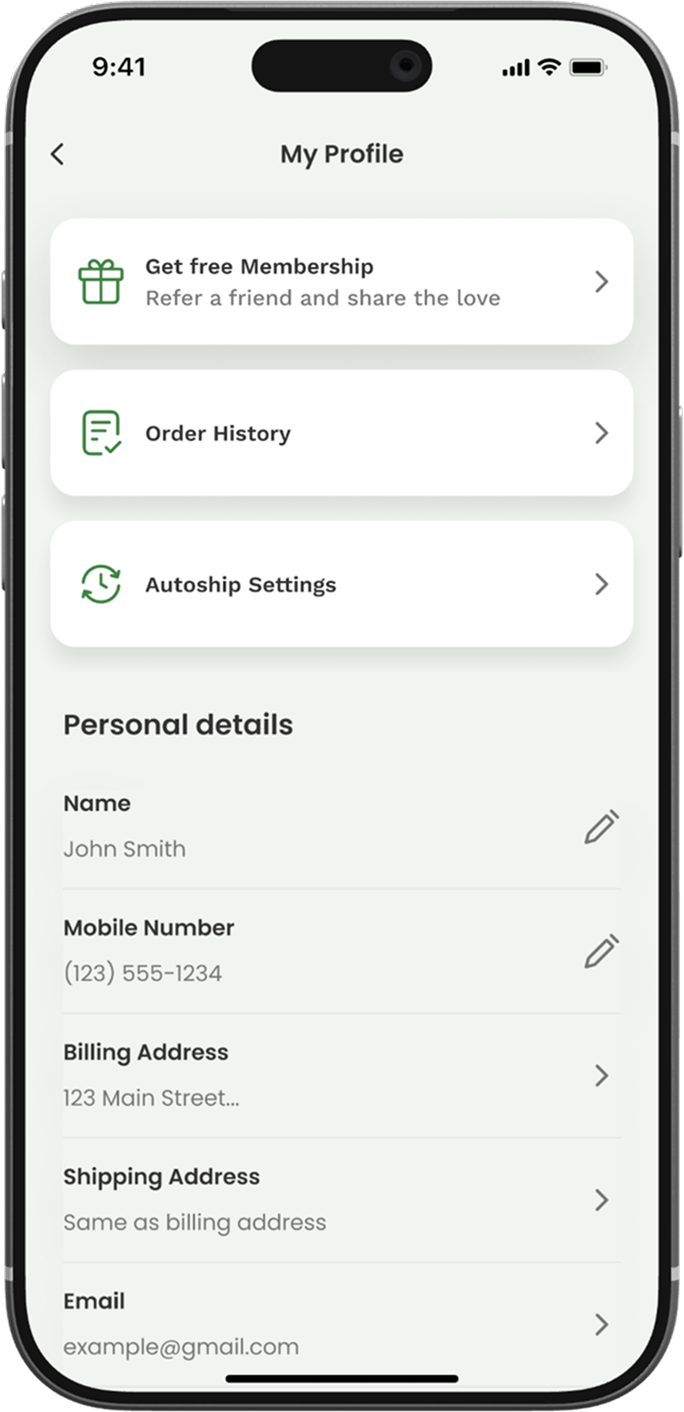
From Your Profile
Go to My Profile
Tap the Autoship Settings banner
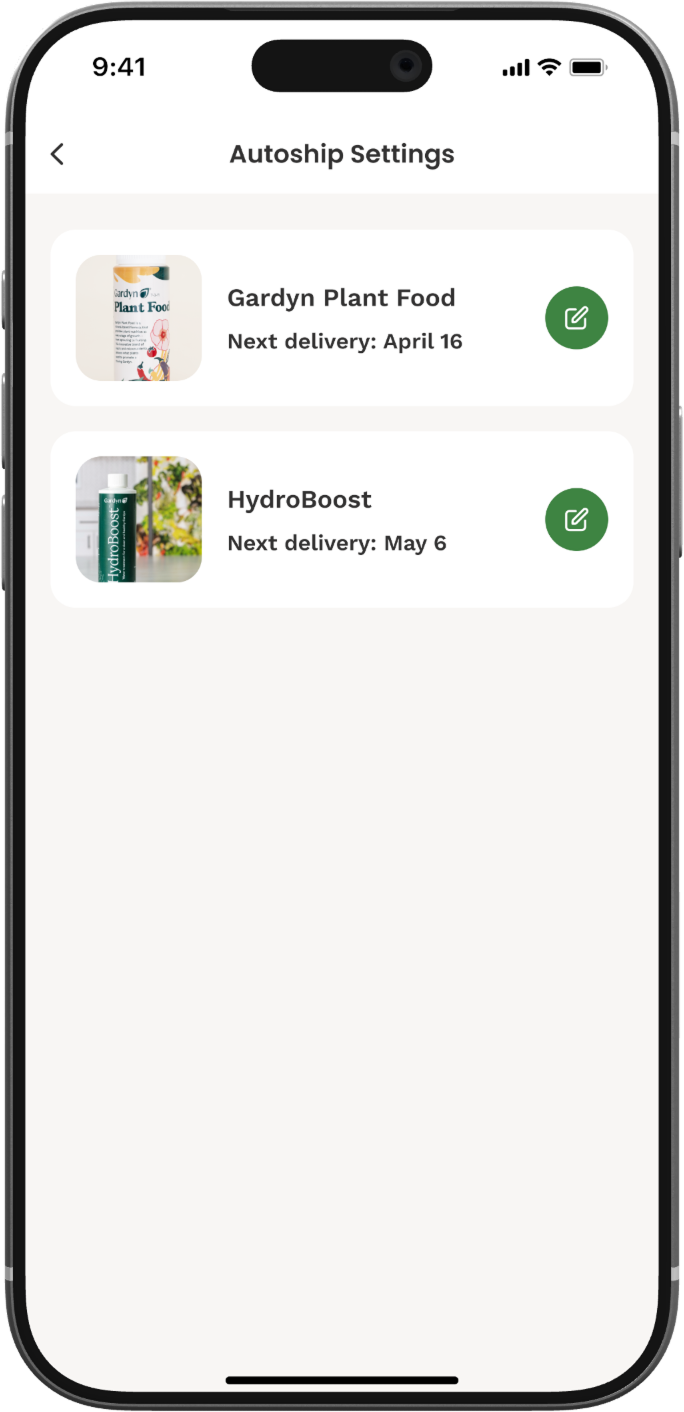
The Autoship Settings let you manage your Subscribe & Save deliveries.
From this screen, you can:
View your active subscriptions
Check upcoming shipments
Make updates to your Autoship settings
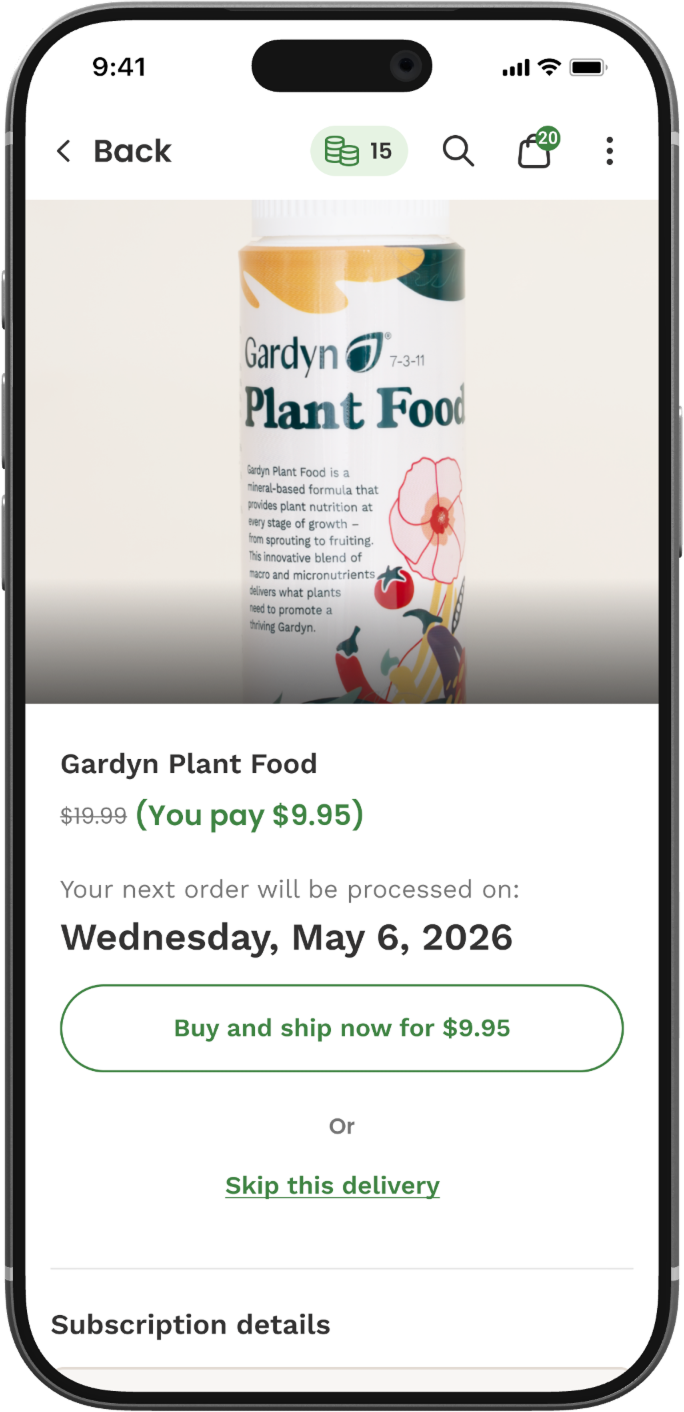
The GIF below shows how this screen appears in the app.
Need Help With an Order?
If something doesn’t look right:
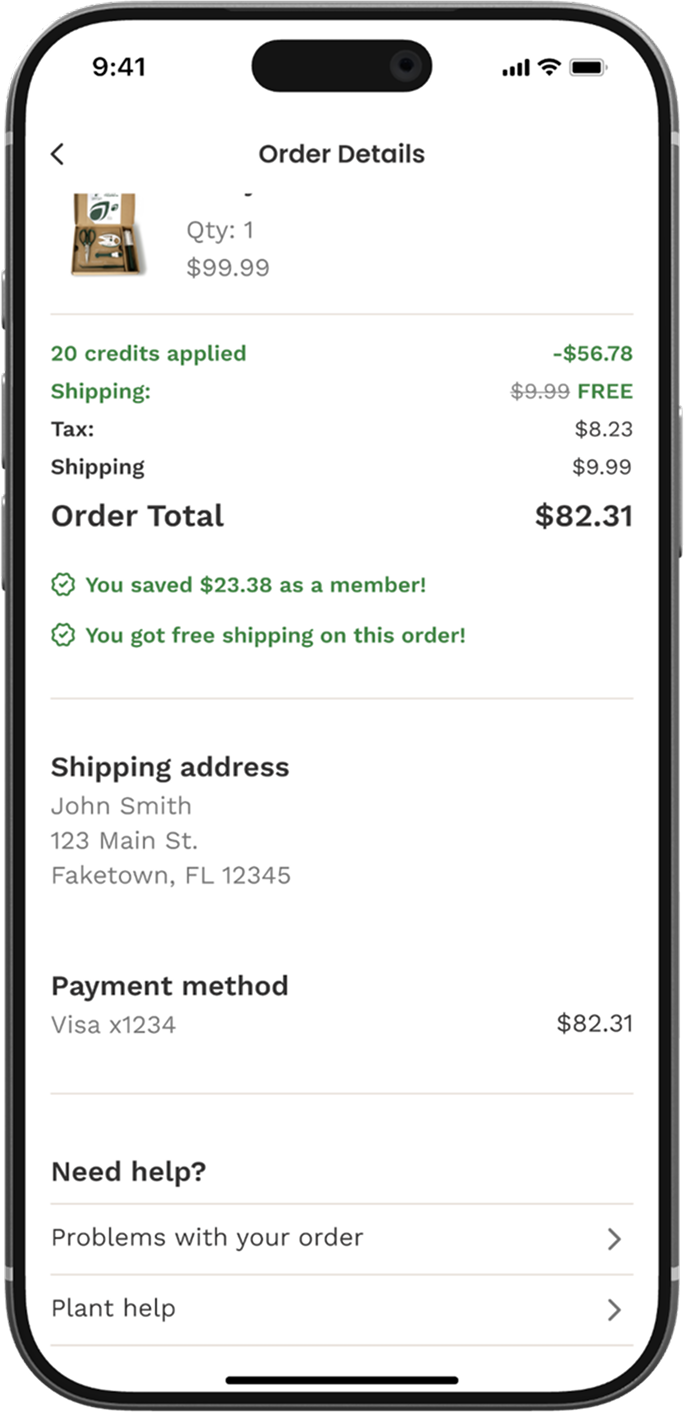
Open your order from Order History
Select Problems with order
This will guide you through the next steps and connect you with the right support.
The GIF below shows how this screen appears in the app.
Questions? Reach us at support@mygardyn.com, or chat with us. We're here to help!