
How to Cancel an Order in the App
Orders placed in the Gardyn app can be cancelled directly in the app, as long as they haven't shipped yet. This article covers how to cancel and what to expect once it's done. To cancel an order placed outside the app or a membership order, contact our support team.
Which orders can be cancelled in the app?
You can cancel an order in the app if it was placed through the Gardyn app and none of the packages have shipped yet. Once any package is marked as Shipped, the order is no longer eligible for cancellation. If part of your order has already shipped and you'd like to return it, you can Request a Return instead.
💡 Tip: You can check shipment status anytime in Order Details.
Don't see the Cancel Order button? This usually means one of the following:
One or more packages have already shipped
The order was placed on the website, through Customer Support, or is a membership order
The order was placed very recently. It can take a few minutes for a new order to fully process. If you placed your order in the last 5–10 minutes, wait a bit and try again.
Note: Partial cancellations aren't supported. Cancelling an order cancels all items in it. If you'd like to remove or adjust specific items, cancel the order and place a new one.
How to cancel your order
First, navigate to Order History. You can get there two ways:
From the Shop tab — tap the ⋯ (dot menu) in the top-right corner, then select Order History
From your Profile — tap your profile, then tap Order History
Then:
Tap the order you want to cancel to open Order Details.
Scroll to the bottom and tap Cancel Order.
Tap Confirm to complete the cancellation.
You'll receive a confirmation email once the cancellation is processed.
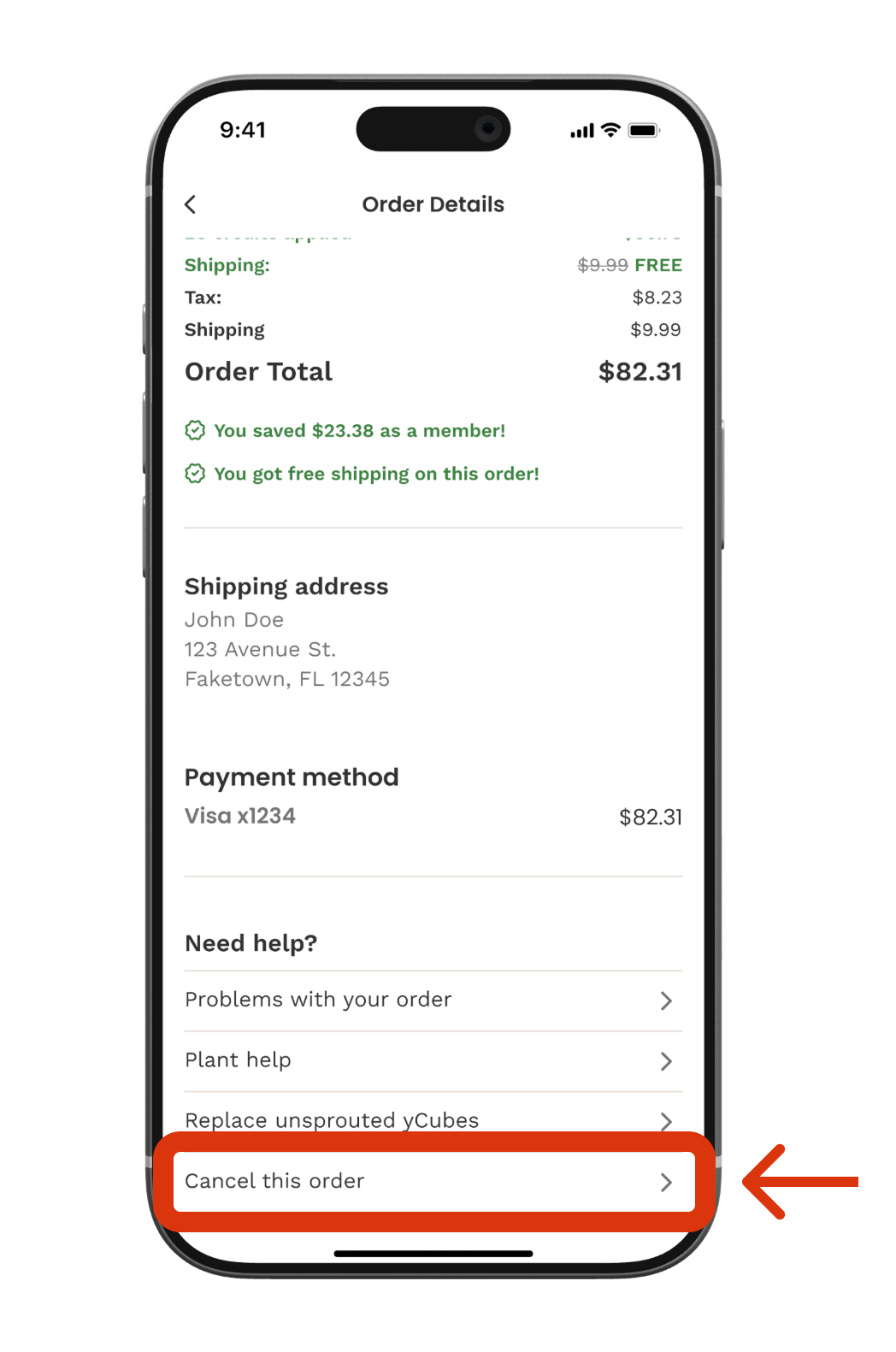
What happens after I cancel?
Once you reach the cancellation confirmation screen, your order is successfully cancelled. Here's what to expect:
Confirmation email — You'll get a confirmation email within a few minutes. If you don't see it, check your spam folder or the address associated with your Gardyn account.
Credits — If you used Gardyn Credits toward your order, the full amount will be returned to your balance immediately.
Free shipping — Any free shipping benefit applied to your order will be restored to your account right away.
Refund — Any card charges will be refunded to your original payment method. Refunds usually show up within a few business days, depending on your bank.
Order status — The order will appear in your Order History with a status of Cancelled. It won't be removed from your history.
If you run into an error
Try these steps:
Close and reopen the app
Wait a few minutes if the order was just placed
Try again — most errors clear up on their own within 10 minutes
If the issue persists after 15 minutes, reach us at support@mygardyn.com, or chat with us. Please provide your order number and a description of the error.