
Ask Kelby Anything in the App for Live, Personalized Responses
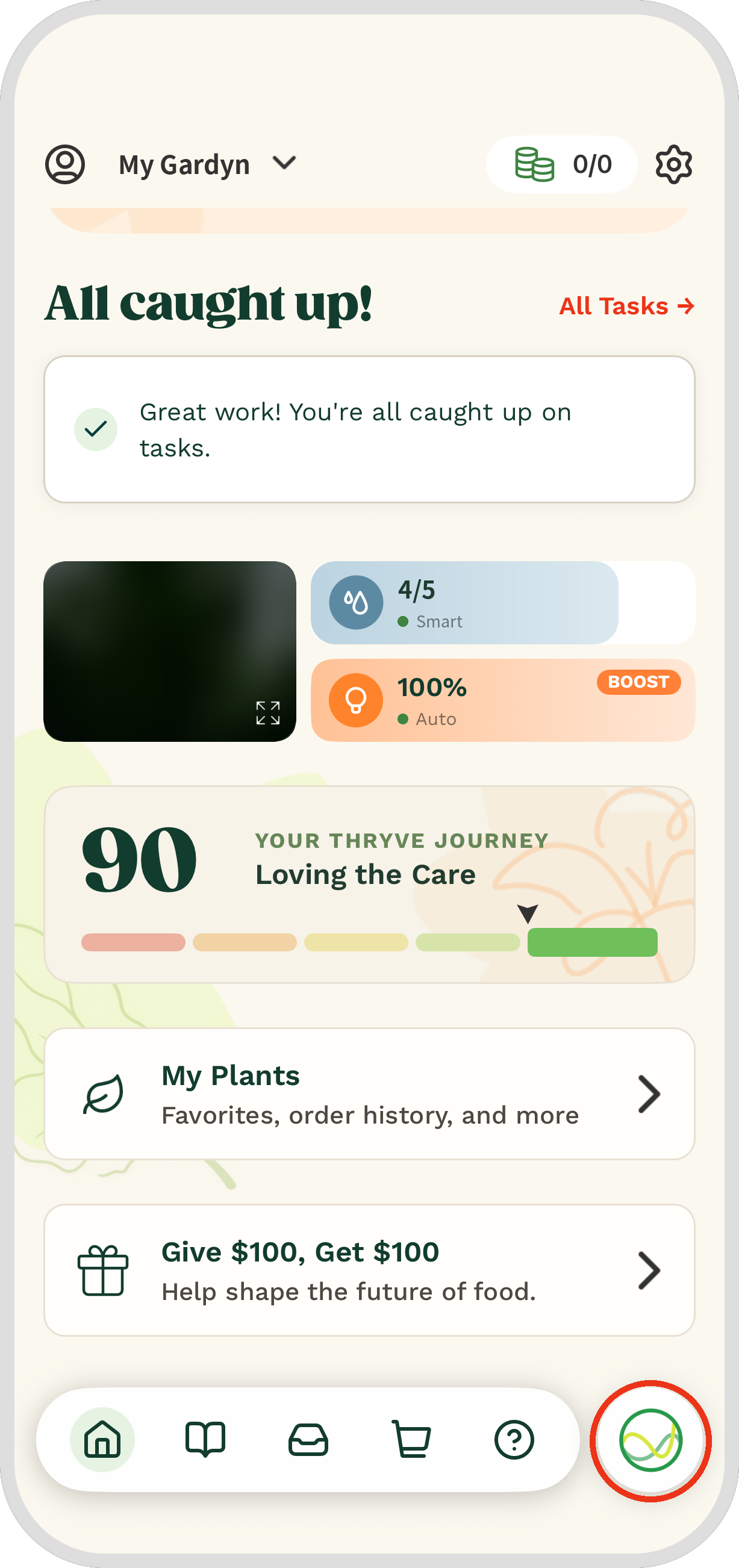
Ask Kelby lets members chat with Kelby anytime for instant answers to Gardyn-related questions. To open it, tap the Kelby button in the bottom-right corner of your Home screen.
How to Ask Kelby a Question
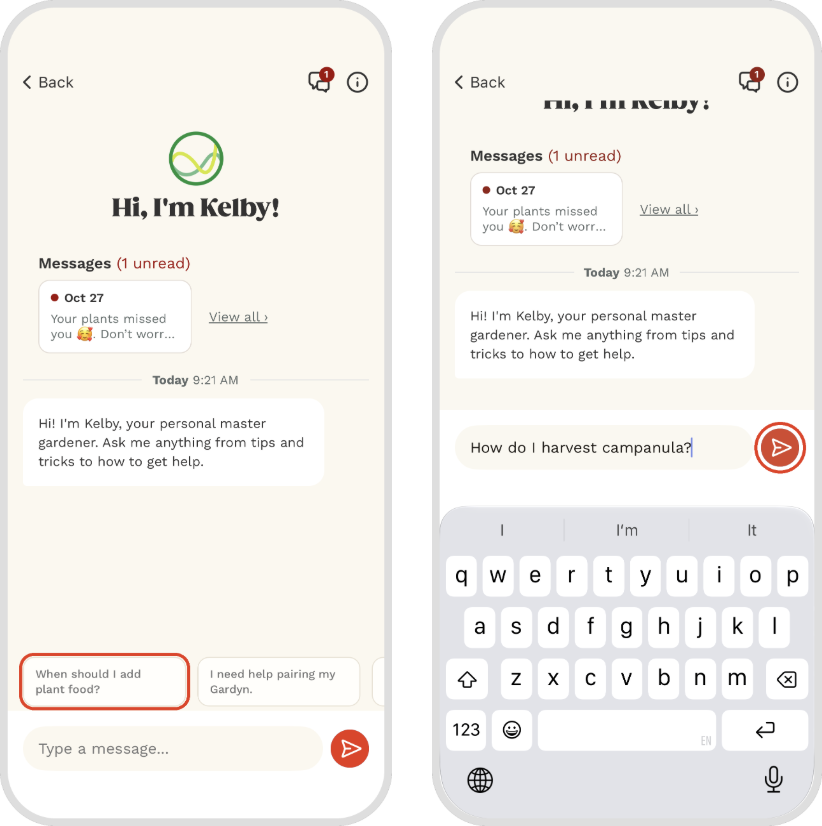
Type your question in the message box and tap the send button, or tap one of the sample prompts to get started. Try asking about your Gardyn’s current needs or how to do something, such as “When should I add plant food?” or “How do I harvest Campanula?”
How Ask Kelby Works
Ask Kelby uses your Gardyn’s data and our extensive resources to answer your questions accurately and in detail. Kelby’s answers are created with generative artificial intelligence (AI), so accuracy may vary. Your privacy is important to us, so never share personal or sensitive information with Kelby. Data is shared with Gardyn and its vendors. Read our full privacy policy here.
Share Your Feedback
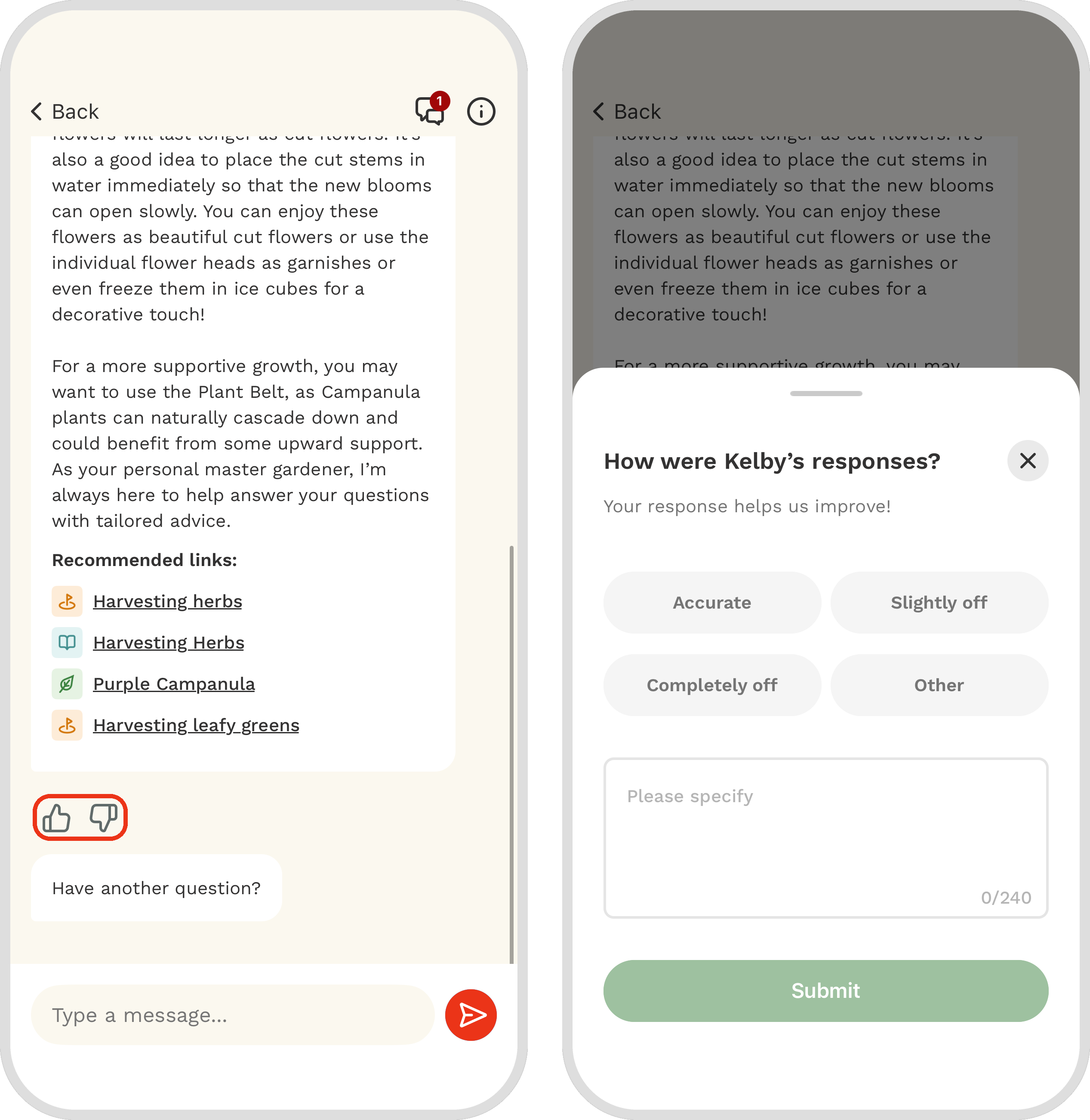
We’re always working to make Ask Kelby better, and your feedback helps. Tap the thumbs up or thumbs down under any of Kelby’s replies to tell us how it did. If Kelby can’t answer something, let us know there too, since we’re still connecting more of Kelby’s knowledge to Ask Kelby.
Still Need Help?
If Kelby can’t fully answer your question, explore the topic with guided help in the Support Hub for the quickest answers, or reach out to our Customer Support team. We’d be glad to assist you!
Questions? Reach us at support@mygardyn.com, or chat with us. We’re here to help!