
What Is a Start of Watering (SOW) Date and How Do I Set or Reset It?
What is a Start of Watering (SOW) Date?
Your SOW Date is a calendar date you log in the app that indicates the first day your yCubes are ready to be watered, beginning the sprouting (germination) process. Your SOW Date helps Kelby know that your yCubes need special care, prompting a unique, early-life water schedule designed to boost your plants' sprouting speed and success.
How Do I Set or Reset My SOW Date in the App?
Tap the gear icon in the top-right corner of your app’s Home screen to open Settings, then scroll down to SOW Date. You’ll see your current SOW Date along with a Reset your SOW Date button.
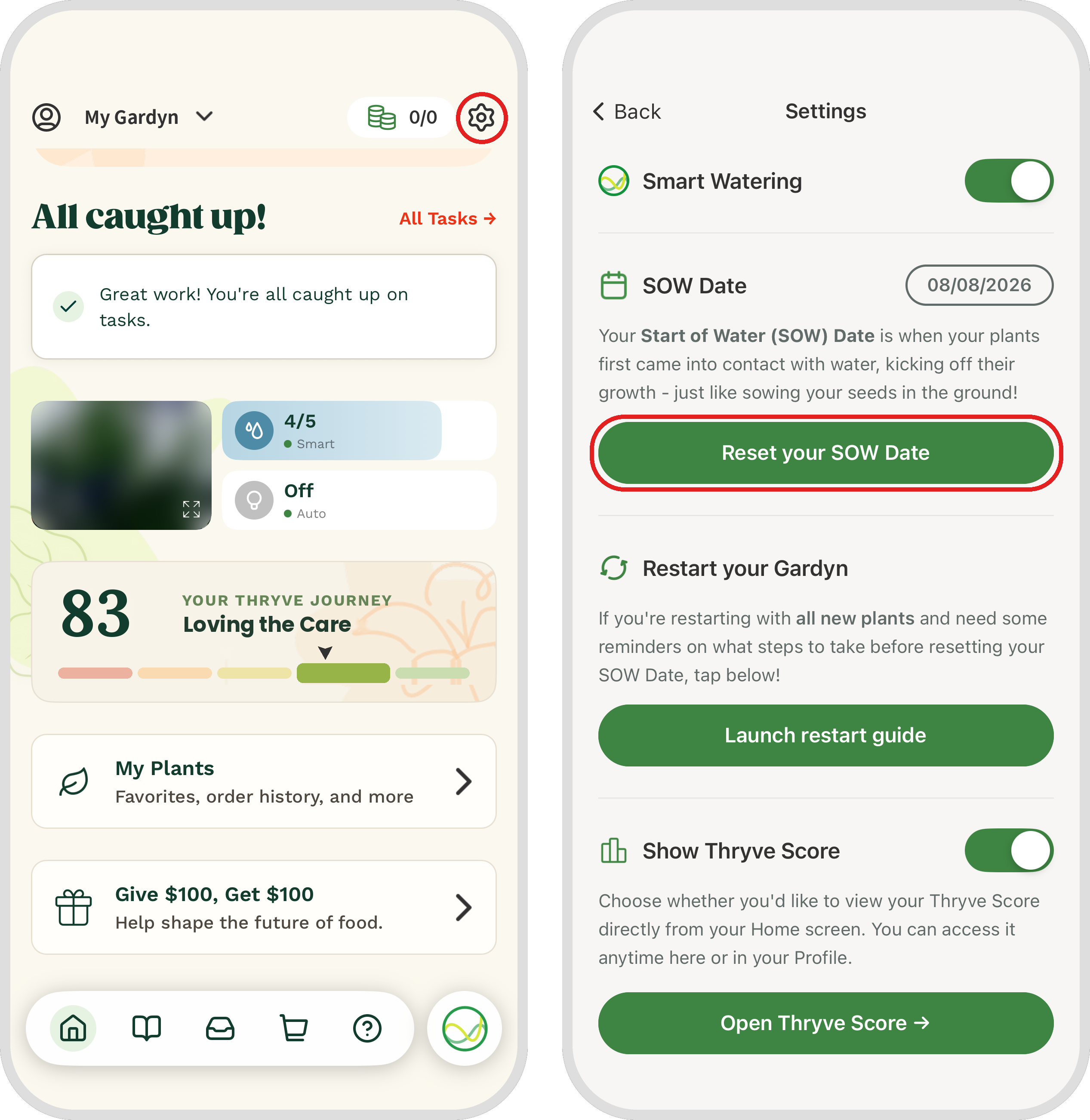
To set or reset your SOW Date:
Tap Reset your SOW Date.
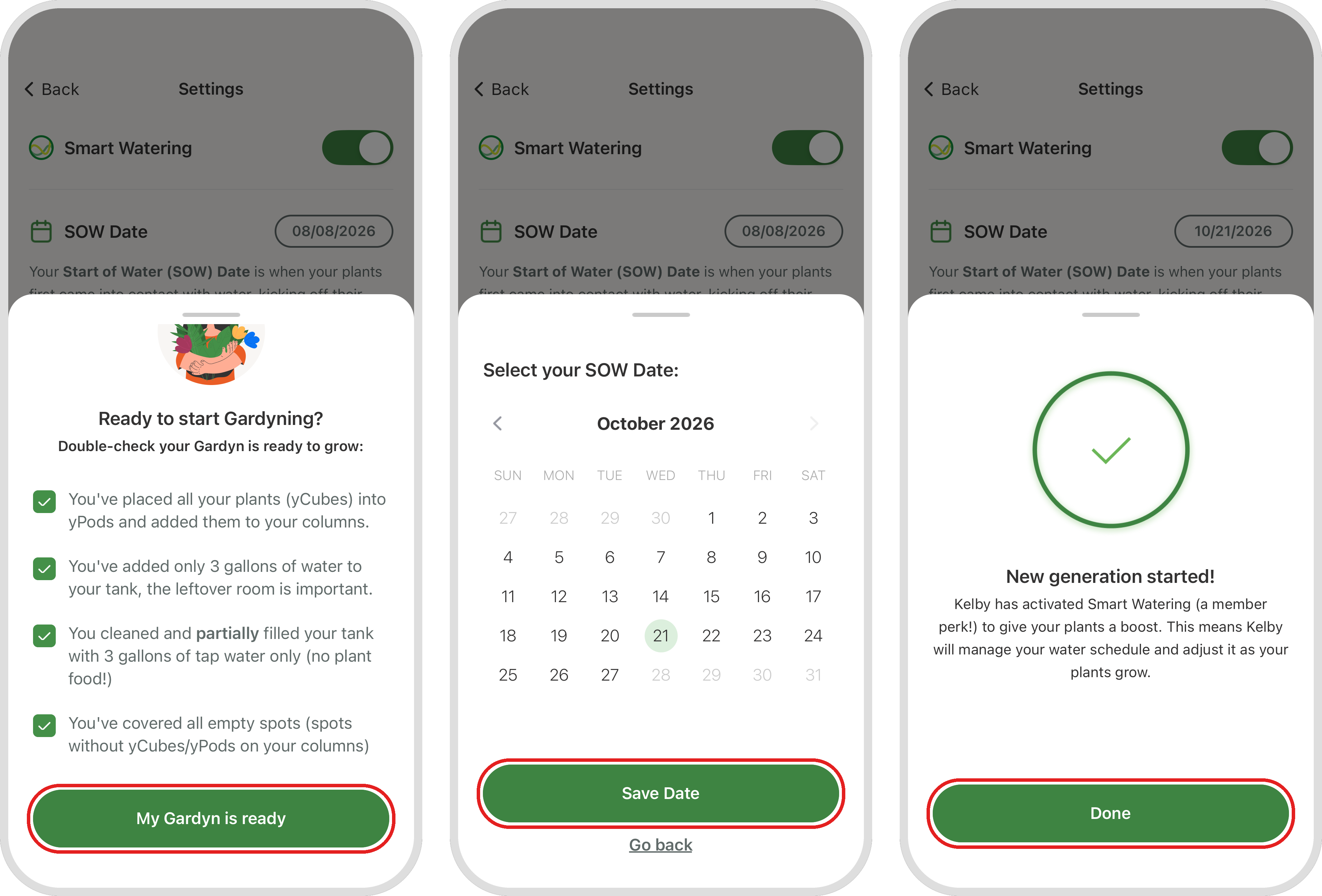
Double-check that your Gardyn is ready to grow, check off each item, then tap My Gardyn is ready.
Select your SOW Date on the calendar, then tap Save Date.
Tap Done, and Kelby will take it from there!
Questions? Reach us at support@mygardyn.com, or chat with us! We're here to help.