
Welcome Kit & Refresh Kit Placement Guide
Overview
Use this guide to place your Welcome Kit (or Refresh Kit) plants on your Gardyn. Both kits use the same placement layouts, so you can follow the same guide.
These layouts are designed to match your Gardyn’s light zones and give each plant the right light from the start.
You can choose to plant fewer yCubes. If you do, cover any empty spots with Gardyn Pod Caps.
At a glance
Follow the layout for your specific kit
Left image: Gardyn Home (30 plants)
Right image: Gardyn Studio (16 plants)
You can plant fewer yCubes if needed
Cover and empty spots with Gardyn Pod Caps
Find Your Kit
Select your Kit below and follow the corresponding layout for your Gardyn.
Salad Lover’s
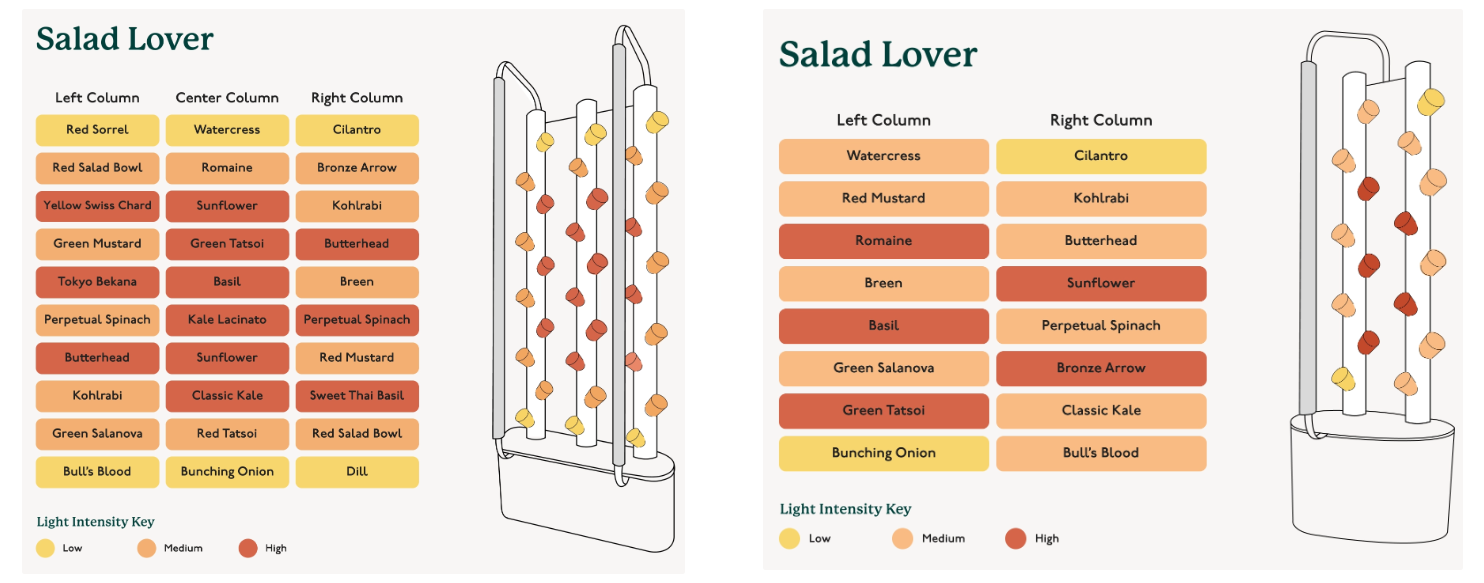
Left: Gardyn Home (30 plants) • Right: Gardyn Studio (16 plants)
Chef Faves
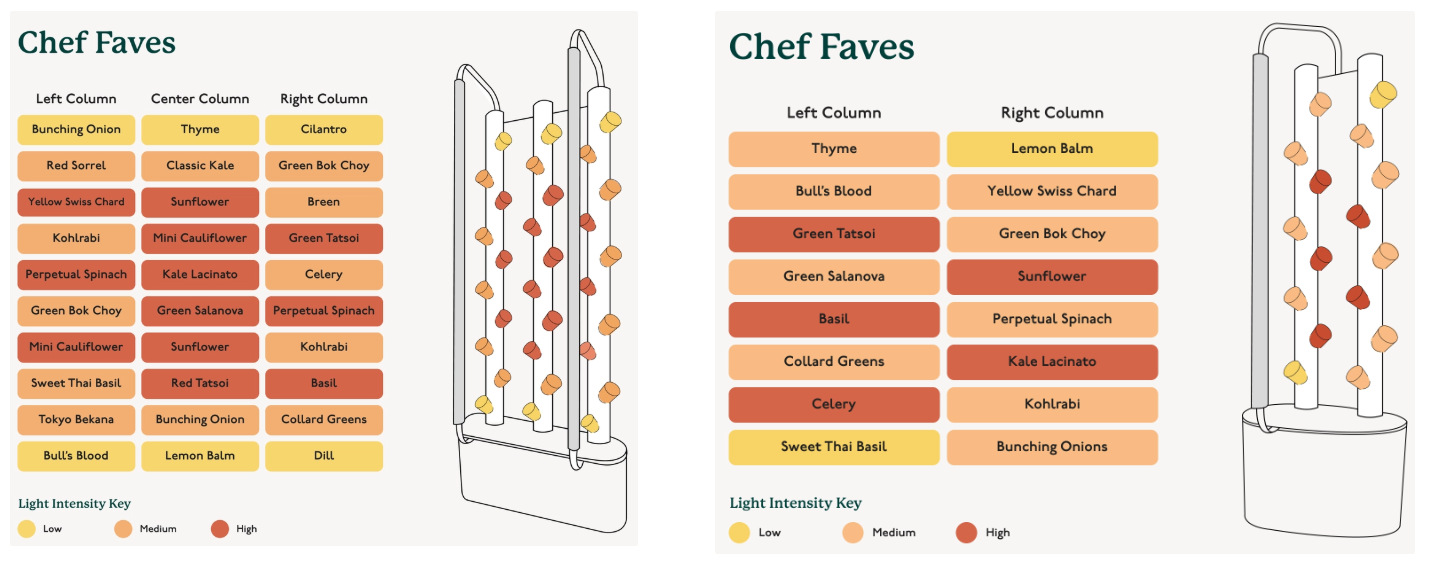
Left: Gardyn Home (30 plants) • Right: Gardyn Studio (16 plants)
Budding Florist
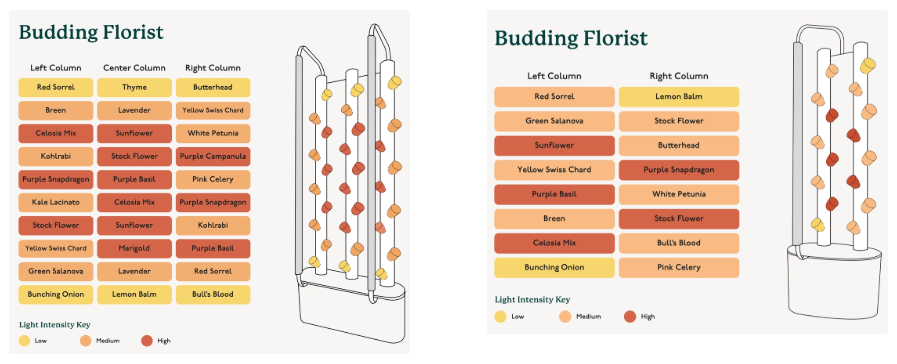
Left: Gardyn Home (30 plants) • Right: Gardyn Studio (16 plants)
Need More Help?
Learn how placement works in the Plant Placement: Understanding Light Zones guide
Find placement for specific plants in the All Plants Placement by Light Zone Guide
Questions? Reach us at support@mygardyn.com, or chat with us! We're here to help.